
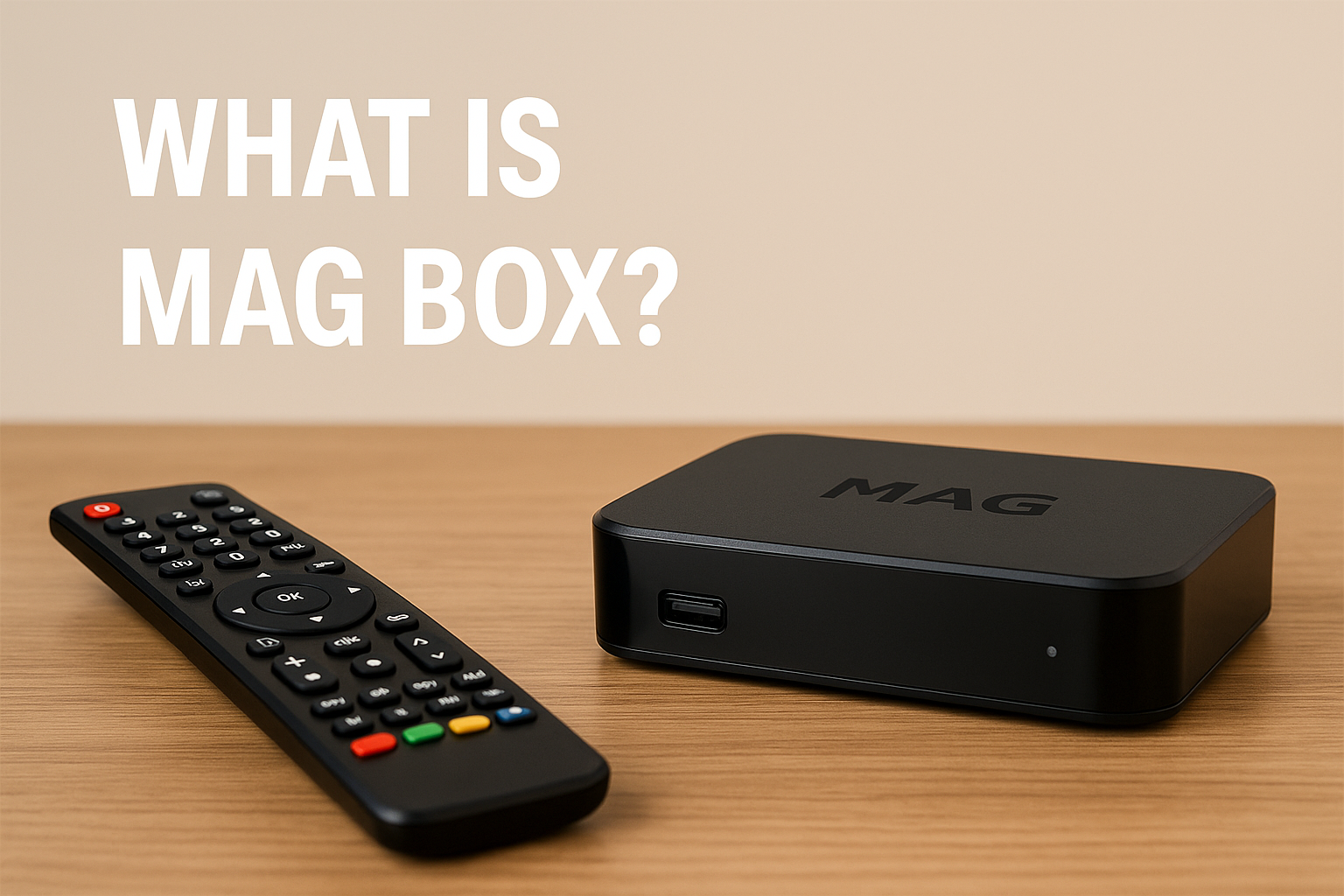
In the ever-expanding world of digital entertainment, MAG Box has emerged as one of the most popular devices for streaming television channels, movies, and on-demand content over the internet. Produced by Infomir, a Ukrainian-based manufacturer specializing in set-top boxes and IPTV/OTT solutions, the MAG Box is designed to deliver a seamless viewing experience by connecting your television to IPTV services. Unlike traditional cable or satellite systems, a MAG Box allows users to access media through an internet connection, offering a more flexible and customizable approach to home entertainment.
How MAG Box Works
A MAG Box functions as an IPTV set-top box. Once connected to your television and the internet, it receives digital content from an IPTV provider and displays it in real time. The device is typically used in combination with a subscription-based IPTV service that gives access to live TV channels, video-on-demand (VOD) libraries, catch-up TV, and even interactive applications.
The operation is simple:
- Connect the MAG Box to your TV via HDMI or AV cables.
- Connect to the internet through Ethernet or Wi-Fi (depending on the model).
- Configure the portal URL provided by your IPTV service provider.
- Enjoy streaming — from live sports and news to movies and TV series.
This plug-and-play nature makes MAG Boxes a favorite among users who want high-quality streaming without complicated setups.
Key Features of MAG Box
MAG Boxes are known for their robust hardware and software integration, ensuring smooth performance. Some of the notable features include:
- Full HD and 4K Support – Depending on the model, MAG Boxes can stream up to 4K Ultra HD for crystal-clear visuals.
- Fast Processor and Memory – Equipped with powerful chipsets that handle multiple tasks without lag.
- User-Friendly Interface – The menu and navigation system are intuitive, making it easy for anyone to use.
- Electronic Program Guide (EPG) – Displays TV schedules so users can plan their viewing.
- Multi-Format Support – Compatible with a variety of video and audio formats, reducing the need for conversions.
- Time Shift and Catch-Up TV – Allows viewers to rewind live channels or watch missed programs.
- Custom Portals – Users can configure different portals for accessing various IPTV services.
Popular MAG Box Models
Infomir offers several MAG Box models catering to different needs and budgets. Some of the most recognized models include:
- MAG 322 / MAG 324 – Affordable models with solid performance for HD streaming.
- MAG 420 / MAG 424 – Support 4K Ultra HD content and have faster processors.
- MAG 522 / MAG 524 – Updated models with enhanced hardware and extended lifespan.
- MAG 500A – An Android-based MAG Box with access to Android apps.
Advantages of Using a MAG Box
- High Reliability – Unlike many generic Android boxes, MAG Boxes are specifically optimized for IPTV.
- Consistent Firmware Updates – Infomir frequently updates firmware to improve security and performance.
- Stable Streaming – Excellent buffering and playback stability for live TV channels.
- Customizable Settings – Ability to fine-tune audio, video, and network settings.
- Long Product Lifespan – Built with quality components to ensure durability.
Limitations and Considerations
While MAG Boxes are powerful, they rely heavily on the quality of your IPTV service provider. Without a reliable service, even the best MAG Box won’t perform well. Additionally:
- No Preloaded Channels – MAG Boxes do not come with built-in channels; you must have a legal IPTV subscription.
- Not for Offline Use – Requires an active internet connection to function.
- Learning Curve for Setup – Beginners may need guidance when entering portal URLs or configuring settings.
Legal Aspects
It’s important to understand that a MAG Box is simply a device. The legality of what you watch depends entirely on the IPTV service you subscribe to. Always ensure you are using a legitimate provider that offers licensed content.
FAQs about MAG Box

1. What is a MAG Box used for?
A MAG Box is used to stream live TV channels, movies, and on-demand content via the internet through an IPTV service. It acts as a bridge between your TV and your IPTV provider, delivering content in high quality without the need for satellite dishes or cable connections.
2. Do MAG Boxes come with pre-installed channels?
No, MAG Boxes do not come with preloaded channels or subscriptions. You need to connect the device to an IPTV service provider by entering a portal URL or similar configuration. Always ensure your IPTV service offers licensed and legal content.
3. Can I connect a MAG Box to Wi-Fi?
Yes, most modern MAG Box models either have built-in Wi-Fi or allow you to connect via a USB Wi-Fi adapter. Alternatively, you can connect through a wired Ethernet cable for a more stable connection.
4. Is a MAG Box better than a regular Android TV box?
It depends on your needs. MAG Boxes are specifically optimized for IPTV streaming, offering stable performance and a simple interface, while Android TV boxes are more versatile for apps and games but may not be as reliable for IPTV-only usage.
5. How do I update my MAG Box firmware?
Firmware updates can be done directly from the device settings menu, provided you are connected to the internet. Regular updates improve performance, security, and compatibility with IPTV services.